Manufacturing AI training · Physical AI
Sim-to-Real Robot Learning
Train it in simulation,
run it on the real robot.
Work through a ROS 2 perception–planning–control stack and an imitation and reinforcement learning pipeline, then transfer a policy trained in Gazebo or Isaac Sim onto real hardware.
- ROS 2 · MoveIt 2 · Nav2 labs
- Sim-to-real transfer
- ISO 10218 · ISO/TS 15066 safety
Manufacturers and industrial companies we work with








Physical AI · Robot Learning
From demonstration data to inference on hardware,
we run the whole cycle.
A lecture-only course leaves nothing behind on the floor — no code, no basis for a decision. Here your team runs one full cycle: collect demonstrations, train a policy, validate it in simulation, transfer it to hardware, and run inference on the robot — all on a ROS 2 node, topic, and TF structure.
01
Perception, planning, and control on one ROS 2 stack
Start with ROS 2 nodes, topics, services, TF, and URDF, then connect MoveIt 2 motion planning, Nav2 navigation, and learned policies on the same stack.
02
Sim-to-real transfer and floor interfaces
Close the reality gap with domain randomization, then handle hand-eye calibration, PLC and MES signal integration, and collaborative robot safety requirements.
How one policy reaches the floor
Your team runs all five stages as a single project.
01
Collect demos
Record correct motions by teleoperating a leader-follower rig.
02
Train policy
Turn demonstrations into a policy, then patch weak segments with reinforcement learning.
03
Validate in sim
Check success rate and collisions in a Gazebo or Isaac Sim workcell.
04
Sim-to-real transfer
Close the gap with domain randomization and hand-eye calibration.
05
Run on hardware
Run inference on the robot and wire it into the line over PLC signals.
What is Physical AI?
Physical AI perceives the physical world through cameras, LiDAR, and force-torque sensors, plans a trajectory from what it perceives, and drives a robot or a machine. On a factory floor it replaces robots whose coordinates were fixed on a teach pendant with systems that adjust motion from perception.
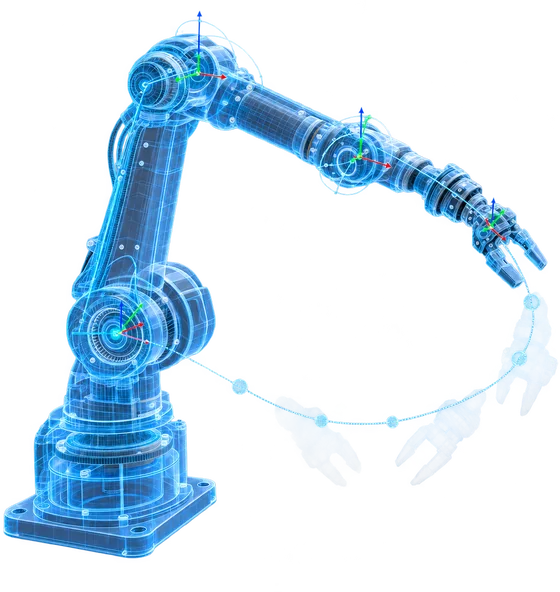
Perception–planning–control loop
Perception, planning, and control run as a closed loop in real time. Unlike predictive maintenance or vision inspection, the output is not a prediction but robot motion.
Sim-to-real transfer
Policies trained in Gazebo or Isaac Sim are generalized with domain randomization, then transferred to hardware — the standard way to collect training data without stopping the line.
Imitation learning and VLA models
Imitation learning from demonstrations, together with vision-language-action models, lets a cell handle new parts without a full reprogramming cycle.
Who this is for
Built for teams that are actually preparing an AMR or collaborative robot deployment.
01
You train models in PyTorch but have never driven a real robot through ROS 2.
02
You want to move from re-teaching coordinates on a pendant to vision-guided picking.
03
You are evaluating cobots or AMRs and need specification, safety, and TCO criteria first.
04
You work in mechanical, electrical, or control engineering and want to add machine vision and motion planning.
05
You are planning the robotics stage of a smart factory roadmap.
What you'll learn
The sequence follows the lab work: start on the ROS 2 stack, end with a policy running on hardware.
- 01
ROS 2 architecture — nodes, topics, services, TF, URDF
- 02
MoveIt 2 motion planning and collision-free trajectories
- 03
Machine vision — camera and hand-eye calibration, 6D pose estimation
- 04
AMR navigation stack — SLAM, AMCL, Nav2
- 05
Imitation learning, reinforcement learning, and VLA model structure
- 06
Sim-to-real transfer and domain randomization
- 07
Collaborative robot safety standards (ISO 10218, ISO/TS 15066) and risk assessment
- 08
Selecting the first process and building the TCO and ROI case
Learning roadmap
The standard format is a one-day, 8-hour intensive. Below is an extended format we build for a single company, adjusted to the equipment and skill level on site.
Foundations
Stage 1 — Pre-course
- Python and NumPy basics, Ubuntu development environmentPreOnline4h
Core theory
Stage 2 — Core
- Physical AI overview and robot system architectureCoreOn-site2h
- ROS 2 fundamentals — nodes, topics, services, TF, URDFCoreOn-site4h
- Machine vision — camera and hand-eye calibration, 6D pose estimationCoreOn-site4h
- AMR navigation — SLAM, AMCL, Nav2CoreOn-site4h
- Robot learning — imitation learning, reinforcement learning, VLA modelsCoreOn-site4h
Lab project
Stage 3 — Intensive
- Building the simulation workcell in Gazebo and Isaac SimLabOn-site4h
- Pick and place with MoveIt 2LabOn-site8h
- Sim-to-real transfer and domain randomizationLabOn-site4h
Lab project
Stage 4 — Practice
- Designing the vision–PLC–MES interfaceLabOn-site4h
- ISO 10218 and ISO/TS 15066 safety requirements and risk assessmentLabOn-site2h
- Deployment roadmap with TCO and ROI figuresLabOn-site4h
*The one-day format condenses Stage 2 core modules and a Stage 3 pick-and-place demo. Module mix and hours in the extended format are set after a pre-course review of your site.
Curriculum
What we cover
- 1
Physical AI overview and robot system architecture
Compare how taught industrial robots, collaborative robots, and AMRs are controlled, then walk the system from manipulator and end-effector through sensors and controller.
- 2
ROS 2 and MoveIt 2 — the robot software stack
Work with ROS 2 nodes, topics, services, TF, and URDF, then plan a collision-free path to a target pose with MoveIt 2 and command a simulated robot.
- 3
Robot learning — imitation, reinforcement, and VLA models
Build the demonstration collection and policy training pipeline, and compare data requirements and fit across imitation learning, reinforcement learning, and VLA models.
- 4
Sim-to-real lab — pick and place
Set up a workcell in Gazebo and Isaac Sim, train a pick-and-place policy, then close the reality gap with domain randomization and hand-eye calibration.
- 5
Floor interfaces, safety, and the deployment case
Design the PLC and MES signal path between inspection verdicts and robot motion, then run a risk assessment against ISO 10218 and ISO/TS 15066 and build the TCO and ROI case.
Where your current role extends
From planners who have never touched a robot to control and AI engineers — the focus and the exit path differ by background.
Planning and management
Recommended track
Robot Solution Planning
Roles you can move into
- Robotics deployment planning
- Automation opportunity scoping
- Specification and RFQ review
- Vendor technical review
How your skills extend
Learn the system architecture and the vocabulary, so you can check a quote's ROS 2 support, service SLA, and lead time yourself.
Mechanical and mechatronics
Recommended track
Robot Integration (SI)
Roles you can move into
- Cobot integration
- Automation cell design
- Gripper and end-effector selection
- Application engineering
How your skills extend
Add Python, ROS 2, and MoveIt 2 to your design work and redesign taught cells as vision-driven cells.
Computer science and software
Recommended track
Robot Software (ROS 2)
Roles you can move into
- ROS 2 development
- Robot middleware
- Simulation development
- ros2_control drivers
How your skills extend
Move general software skills onto ROS 2 nodes, TF, URDF, and the real-time control stack.
AI and data
Recommended track
Robot Learning & Perception
Roles you can move into
- Robot perception
- Imitation and reinforcement learning
- VLA model deployment
- Dataset pipelines
How your skills extend
Add demonstration collection, policy training, and sim-to-real transfer so your models get verified on hardware.
Electrical and control
Recommended track
Motion Control & Sensing
Roles you can move into
- Motion control
- Sensor fusion
- Nav2 navigation control
- Robot systems engineering
How your skills extend
Combine control and sensing with SLAM, AMCL, Nav2, and vision so trajectories change with what the robot sees.
Quality and production engineering
Recommended track
Machine Vision & Cell Design
Roles you can move into
- Inspection and handling cell design
- Vision inspection systems
- Process automation
- Quality data operations
How your skills extend
Wire inspection verdicts into robot motion, from defect detection through automatic sorting and rework handling.
Where it applies on the floor
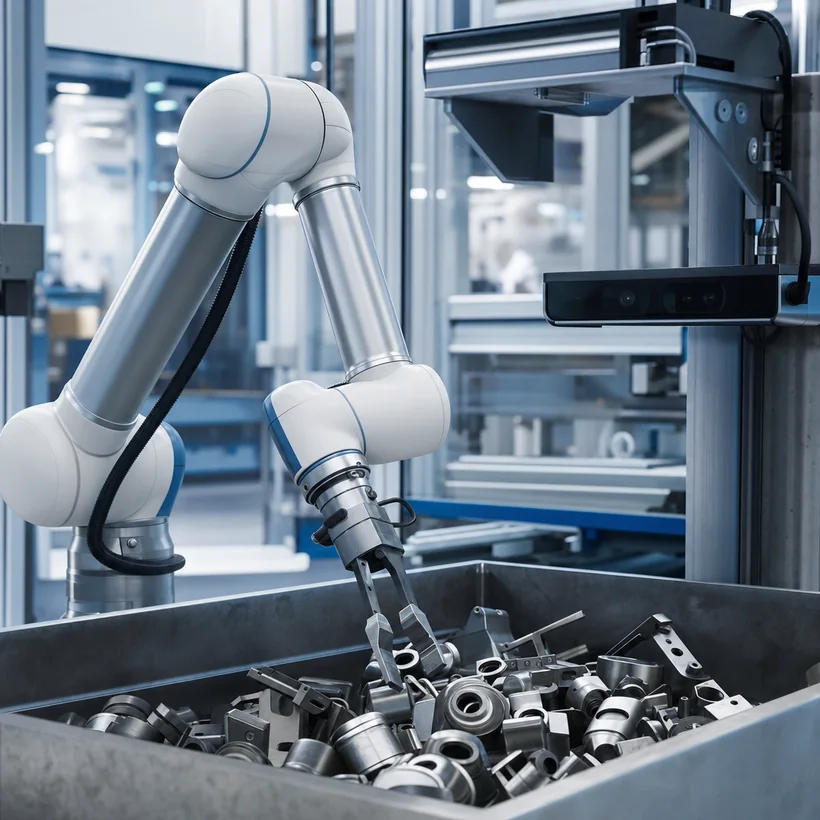
Vision-guided random bin picking
An RGB-D camera estimates 6D pose for unsorted parts and computes grasp points, replacing the re-teaching cycle that every new part number used to require.
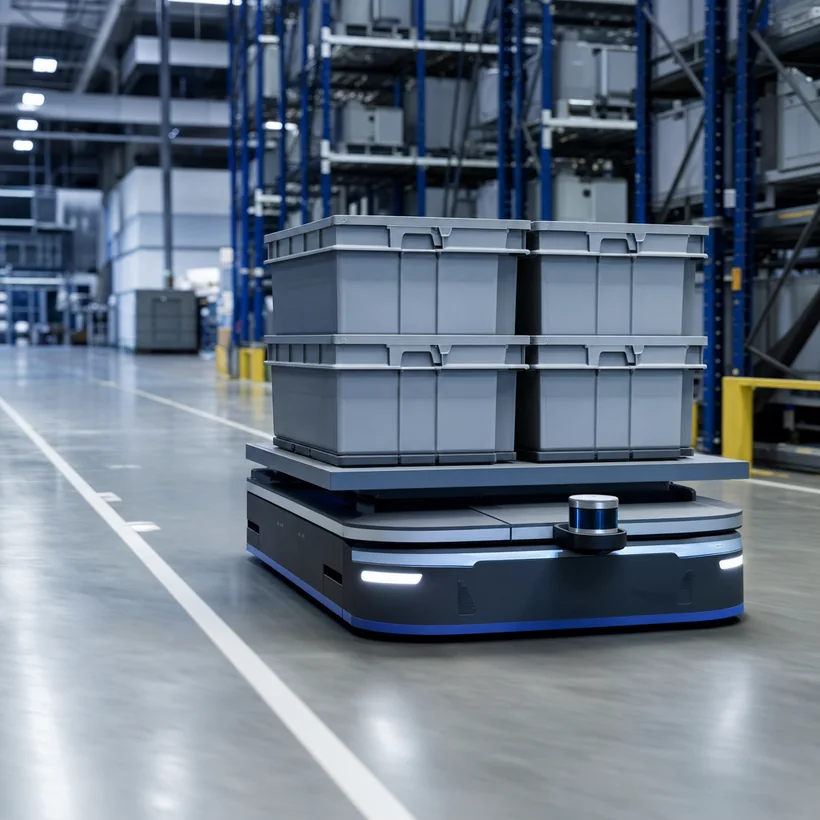
AMR logistics on SLAM and Nav2
Instead of fixed-route AGVs, an AMR maps the floor with SLAM and replans with Nav2, so line rearrangements do not mean re-laying guide tape.
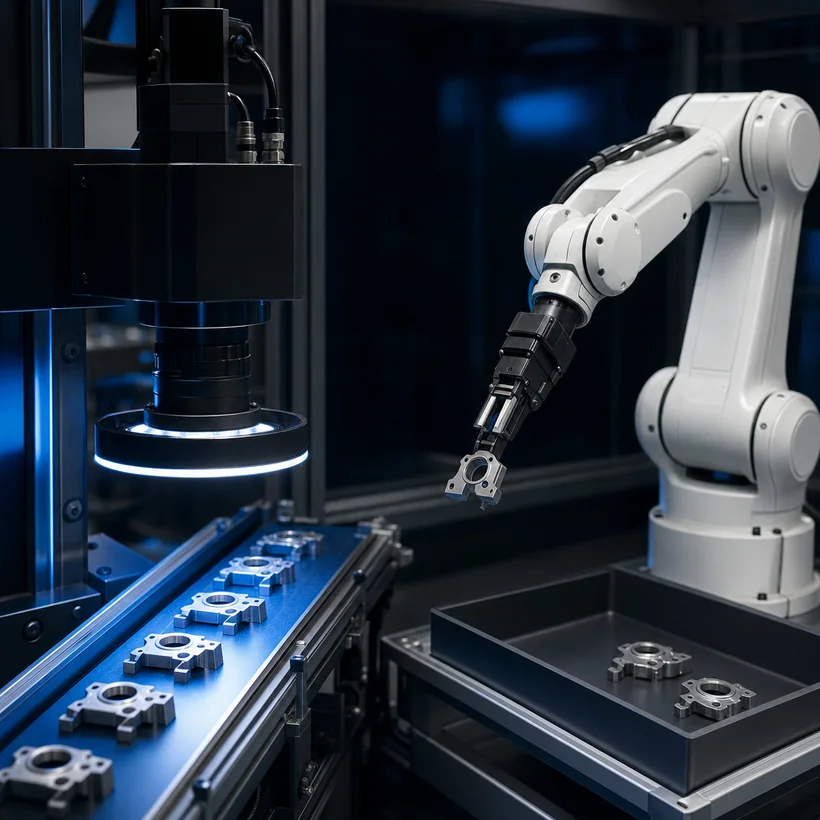
Integrated inspection and handling cell
A machine vision pass or fail verdict travels to the robot as a PLC signal, and the robot removes the defect and moves it to the rework line.
The stack you'll work with
Simulator, robot middleware, learning framework, and floor interfaces — connected as one workflow in the labs.
- ROS 2
- MoveIt 2
- Nav2 / SLAM Toolbox
- NVIDIA Isaac Sim
- Gazebo
- MuJoCo
- PyTorch / LeRobot
- OpenCV · RGB-D (RealSense)
- Collaborative robots · AMRs
- PLC / OPC-UA
What your team walks out with
By the end you hold specification, safety, and TCO criteria written against your own process.
Move from taught coordinates to perception-driven control and cut the re-teaching effort at every product changeover.
Validate policies in simulation first, so automation scenarios can be tested without stopping the line.
Standardize on ROS 2, MoveIt 2, and Nav2, so equipment and staffing can grow without vendor lock-in.
Bring safety requirements and TCO figures to the investment review instead of assembling them afterward.
Physical AI training — frequently asked questions
Yes. The ROS 2 module starts from nodes, topics, and TF, and every lab ships with a working package and code templates. Basic Python — variables, functions, using a library — is enough to follow along.
Conventional automation replays taught coordinates and a fixed sequence, so a new part or a changed layout means reprogramming. Physical AI replans the trajectory from camera and LiDAR input, which matters most for high-mix work and parts that are not presented in a fixed position.
Yes. Labs run in Gazebo and Isaac Sim by default. If you have equipment, we adapt the lab scenario to your robot's ROS 2 driver and your process conditions.
The digital twin course focuses on mirroring a process and running what-if simulations. Physical AI takes a policy trained in that environment and transfers it to control on real hardware. Teams often take both.
We'll design the Physical AI course around your line
From a review of your equipment, processes, and team to an extended format. The first conversation is free.